
1 · Record

Start during the incident
Preserve the recording window and reference sound timeline instead of reconstructing the event later.
Noise complaint app for iPhone
SilentProof keeps the time, duration, reference sound level, notes, location context, and on-device audio together—then exports a PDF for the follow-up you choose.
Documentation tool only. It does not submit a complaint, identify the source, certify a measurement, or guarantee an outcome.

Compatibility
iOS 16+
App privacy label
Data Not Collected
Free use
Unlimited logs · 1 PDF
Pro
One-time purchase
Product and privacy facts reviewed August 13, 2026. See the current App Store listing for compatibility and local pricing.
Actual workflow
Two panels below are real app screens. The report panel is a labelled field map so you can see what the export organizes before downloading.
1 · Record
Preserve the recording window and reference sound timeline instead of reconstructing the event later.
2 · Review
Check dates, duration, category and notes. A pattern is easier to review than unrelated clips or screenshots.
3 · Export
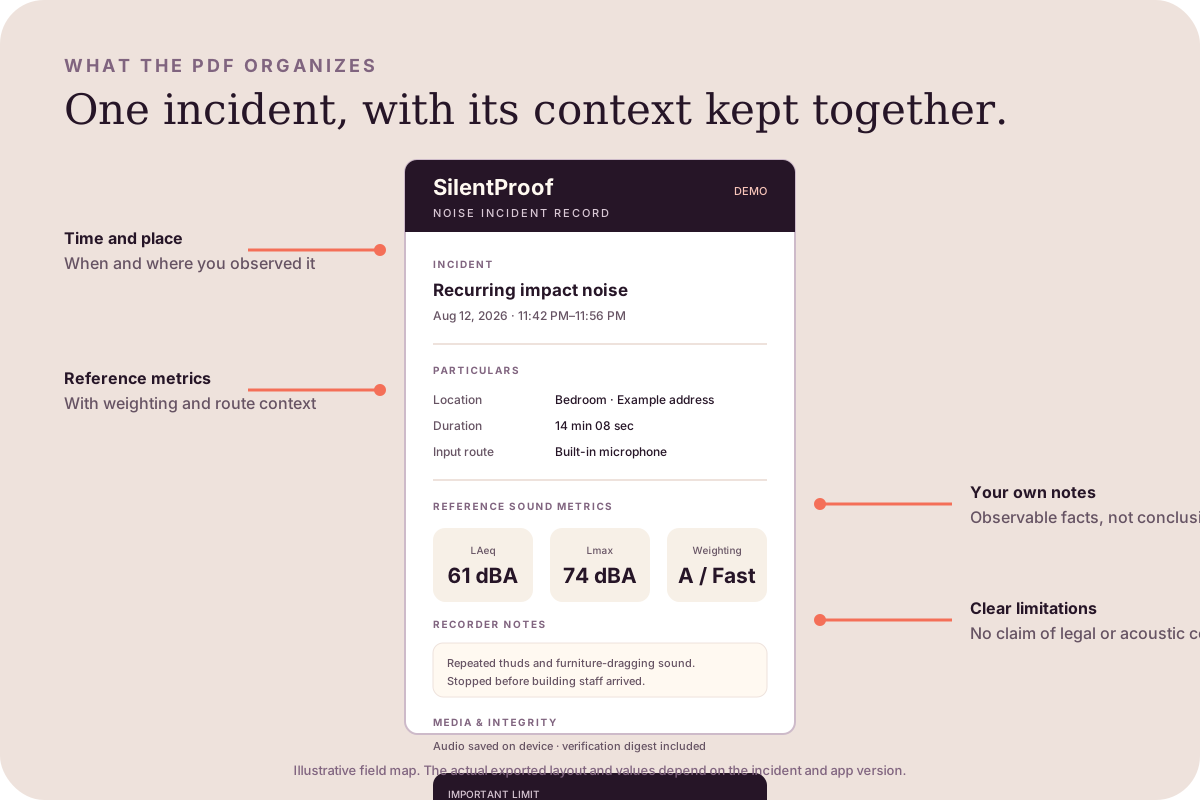
The PDF summarizes incident particulars, reference metrics, notes, media status and limitations. Audio stays separate.
Open the sample report guideWhy not just record audio?
Voice Memos, a basic meter, and SilentProof solve different jobs. Use the smallest tool that matches what you need.
| Need | Voice memo | Basic dB meter | SilentProof |
|---|---|---|---|
| Hear what the phone captured | Yes | Usually no | Yes, on-device audio |
| Reference sound timeline | No | Varies | Yes |
| Repeat-incident history | Manual filenames | Varies | Built for it |
| Notes, place and follow-up context | Manual | Usually no | Kept with the incident |
| Structured PDF record | No | Varies | Yes |
| Certified compliance measurement | No | Not automatically | No |
Good fit
Not the right tool
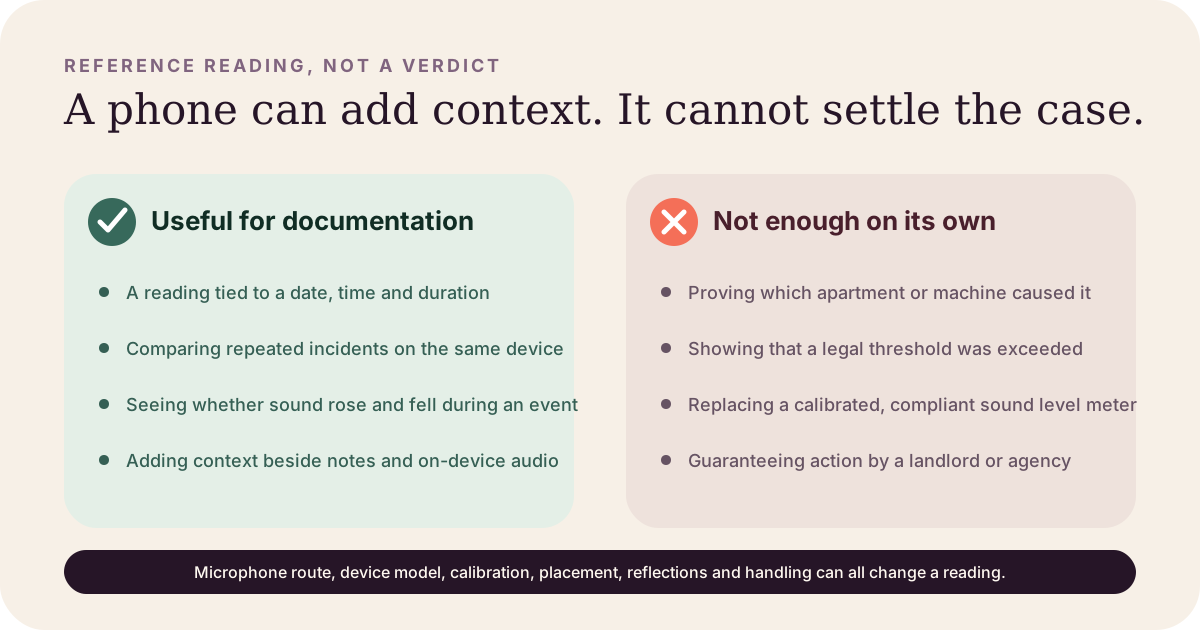
SilentProof uses your phone microphone. The result depends on the device, route, calibration, placement and room. Read the method and limitations before citing a value.
Read the measurement methodologyQuestions before downloading
SilentProof is a documentation tool and does not provide legal advice. Consult a qualified professional for legal guidance in your jurisdiction.
Yes. You can keep unlimited incident records and export your first 1 PDF free. Pro is a one-time in-app purchase that removes the PDF export limit.
No. SilentProof organizes the records you choose to keep. You still file through your landlord, building portal, HOA, NYC311, or the official channel that applies.
No. SilentProof reports phone-based reference sound levels. Device, microphone route, calibration, placement, reflections, and handling can change a reading. It is not a certified sound level meter.
No. Audio stays attached to the local incident record. The PDF summarizes the time, duration, context, reference metrics, notes, and media status. Audio leaves the phone only when you explicitly share it.
The current App Store privacy label says Data Not Collected. Incident records stay on-device by default until you choose an export or share action.
Free to start. Your records stay on your phone until you choose to share.